Lead pipeline
See open opportunities by stage and move each lead through your sales process, so you know what needs attention today.
Keep every opportunity moving
Follow up on every lead, keep each customer's history in one profile, and start the deal without re-entering what you already know. DealerHub's CRM is built into the same system as your inventory and paperwork.
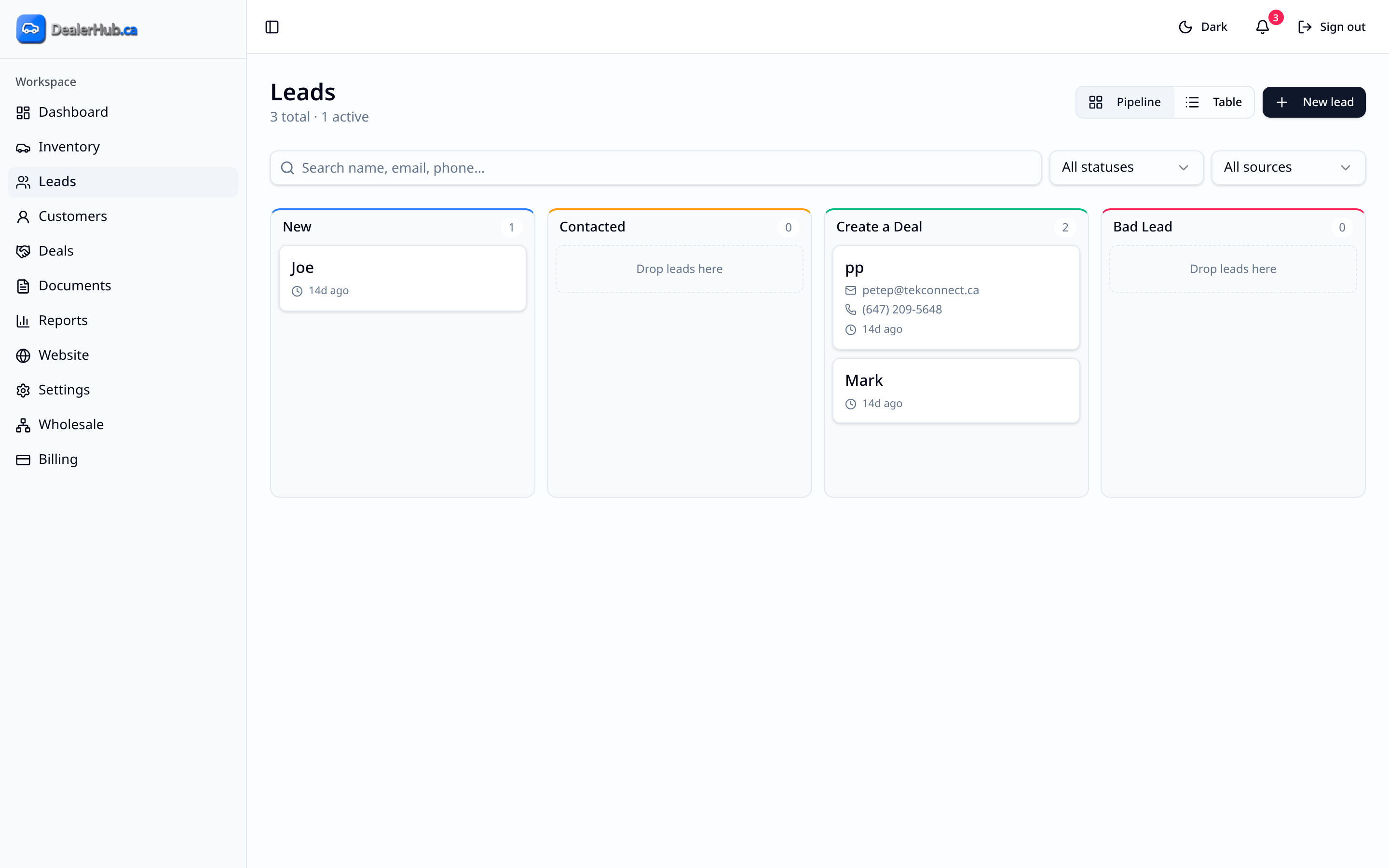
A CRM (customer relationship management) is where you keep track of who's interested in what and what happens next. In DealerHub, leads sit on a visual pipeline you move through your sales stages, and every customer has a profile holding their details, files, ID, deals and activity. Because the CRM lives in the same system as your inventory and deals, a lead can turn into a customer and a deal without being copied between tools.
Small sales teams and owner-operators who track leads in a notebook, a spreadsheet or their phone today, and anyone who has lost a deal because nobody remembered to call back.
See open opportunities by stage and move each lead through your sales process, so you know what needs attention today.
Open a complete customer view showing profile details, deals, documents, files, identification and activity, all in one place.
Keep customer documents and ID uploads attached to the right profile instead of in email attachments or a filing cabinet. Use the import function to bring existing documents into DealerHub.
Start a deal from a customer or a lead, so the information you already have carries forward into the worksheet and paperwork.
For most small dealerships, no. The DealerHub CRM is included and connected to your inventory, website and deals.
Yes. You can upload customer files and identification to their profile. They're kept in your dealership's own DealerHub workspace and aren't shared with other dealers.
Yes. DealerHub has an import function for documents, and our team helps dealers migrate from other platforms.
DealerHub uses role-based access with owner, manager and salesperson roles, so each person works with the tools that fit their job.
Continue exploring