VIN decode
Enter a 17-character VIN and DealerHub fills in the available vehicle specifications, so you aren't typing year, make, model and trim by hand.
From arrival to sold
Keep every vehicle, photo, price and status organized in one place. DealerHub's inventory management takes a unit from VIN entry to sold, and the same record feeds your dealer website, your AI sales chat, your AutoTrader.ca and CarGurus listings, your wholesale listings and your deals.
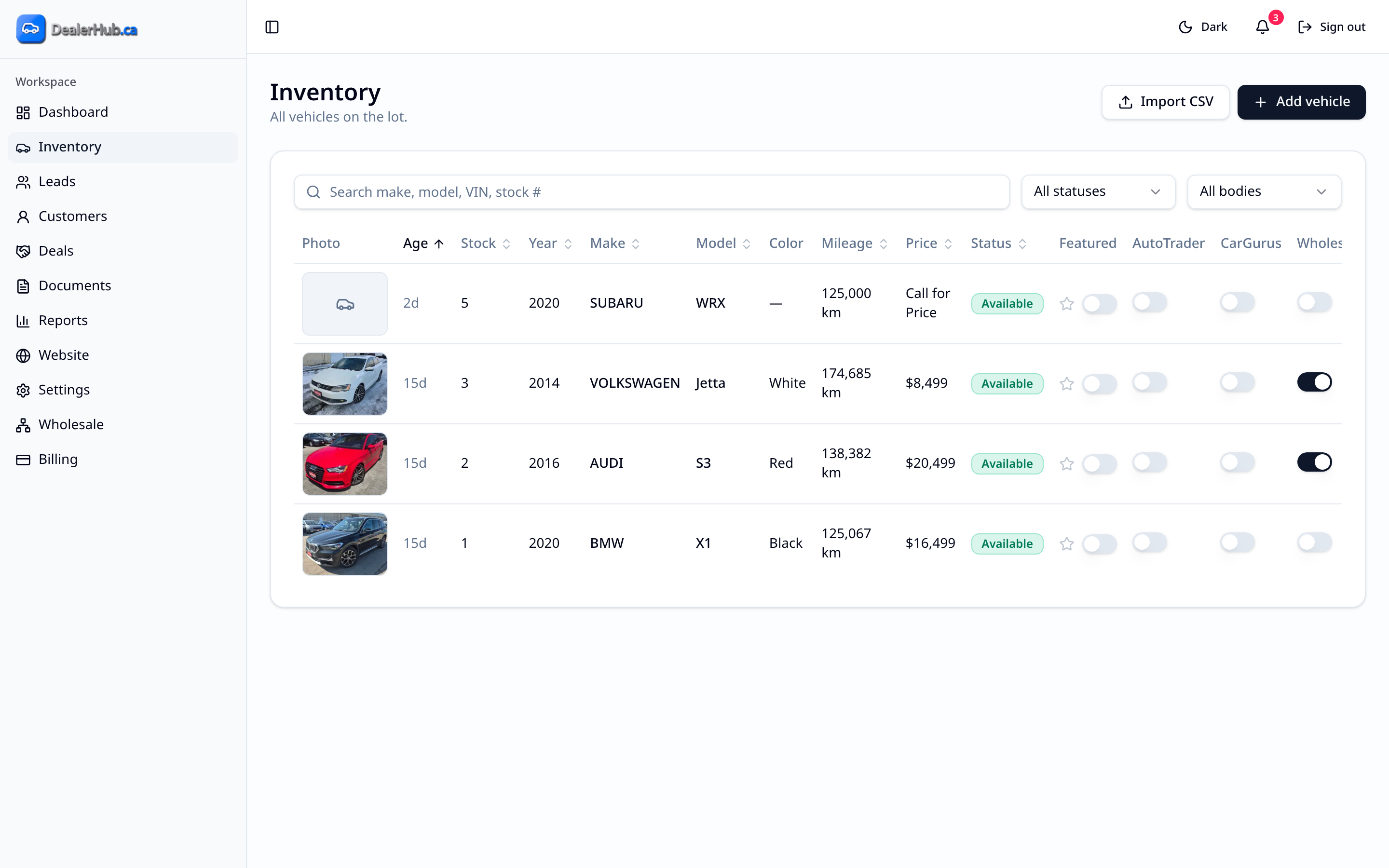
Inventory is the centre of DealerHub. Each vehicle gets one record holding its VIN-decoded specifications, photos, price, notes, CARFAX Canada information, status and where it's published. Because everything else in DealerHub reads from that record, you update a vehicle once. You don't fix it on your website, then on each listing site, then on the paperwork.
Independent used-car dealers who are tired of keeping inventory in a spreadsheet, on a whiteboard and on three websites at once. There's no limit on the number of vehicles and no per-vehicle fee, so it works whether you have a dozen units or a full lot, and whether you sell retail, wholesale or both.
Enter a 17-character VIN and DealerHub fills in the available vehicle specifications, so you aren't typing year, make, model and trim by hand.
On the lot, use your phone's camera to scan the VIN barcode on the windshield or door jamb. It runs in the phone's browser with no app download. Manual VIN entry is always available if a barcode won't read.
Bring your existing inventory into DealerHub with the import function instead of re-entering every unit. Moving from another platform? Our team will help you migrate.
CARFAX Canada vehicle history data is integrated with DealerHub inventory, so it can appear on your website listings and inform the answers your AI sales chat gives shoppers.
Move every vehicle through four statuses: Incoming, Available, Pending and Sold. Your team can see at a glance what's on the way, what's ready to sell, what's spoken for and what's gone. Statuses also update as a connected deal moves forward.
Publish a price, or leave it blank to show Call for Price on your website. Change it once and it carries through everywhere DealerHub publishes the vehicle, including your marketplace feeds on the next nightly run.
Manage photos and watermarking, add dealer notes for your team, and choose whether each unit is visible for retail, wholesale or both.
When a customer is ready, create a deal directly from the vehicle record, with the vehicle's details already attached.
Enter or scan the VIN. DealerHub decodes the available specifications, and you add photos, price and notes.
Yes. DealerHub has an import function for inventory and documents, and our team will help if you're migrating from another platform.
No. Every plan includes unlimited vehicles with no per-vehicle fees.
If you leave the price blank, your website shows Call for Price instead of a number.
Yes. Keep it as Incoming and control whether it's visible for retail or wholesale until it's ready.
Yes. You can export your data anytime.
Start a free trial and add your first vehicle in minutes, or book a demo and we'll walk through it with your inventory in mind.
Continue exploring