Sales reporting
Review deal activity and sales results for the period you choose.
Know what's moving
DealerHub turns the records your team already keeps into focused reports. Choose a date range and review sales, inventory, leads and dealership performance in one place.
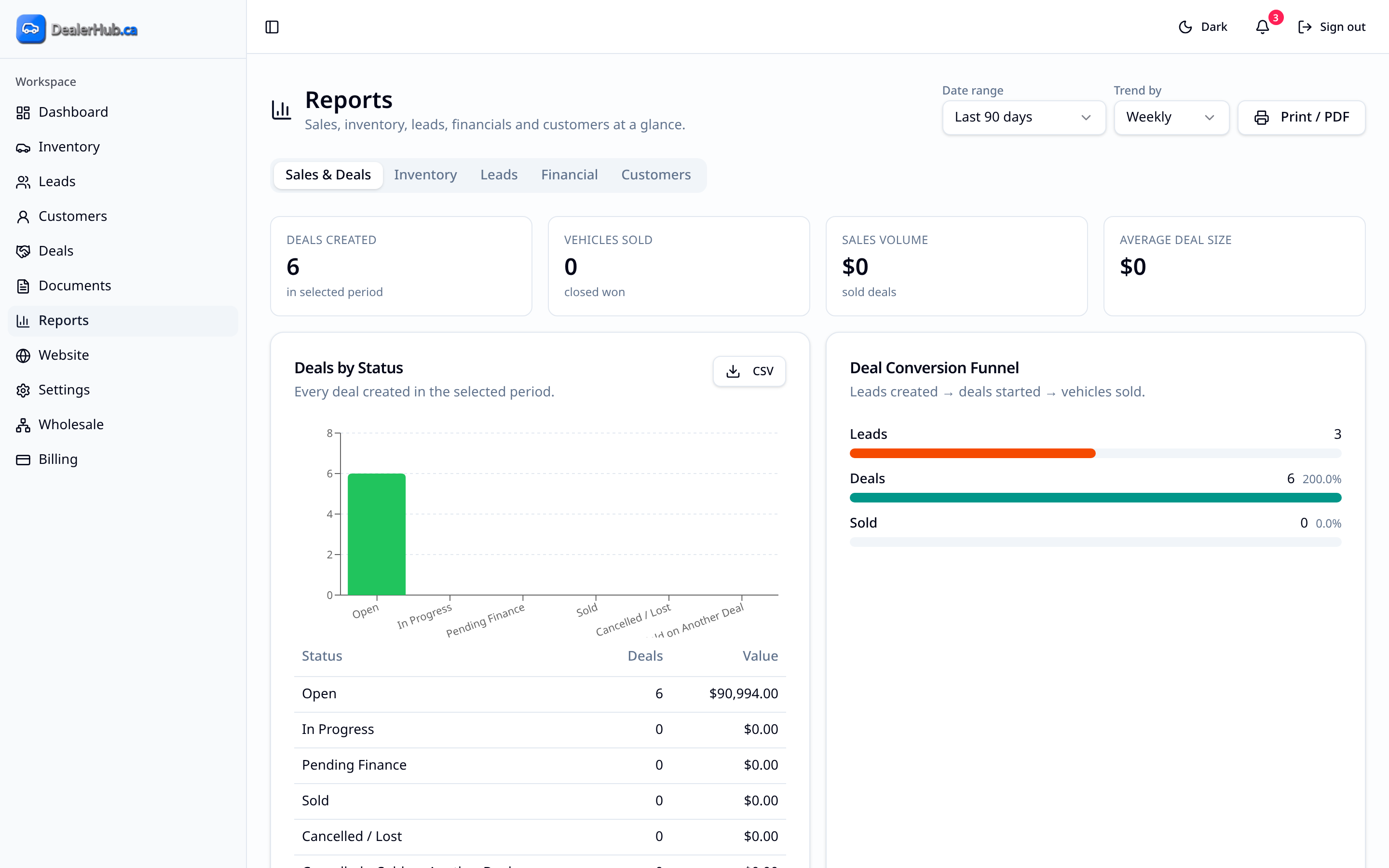
Because your inventory, leads and deals all live in DealerHub, reporting doesn't mean exporting from three systems and stitching them together. Reports read from the same records, filtered by the timeframe you pick, so month-end review is quick instead of an evening with a spreadsheet.
Review deal activity and sales results for the period you choose.
Understand status, aging and inventory movement across the lot, so you can spot units that need a price change or a wholesale decision.
See pipeline activity and outcomes by status and timeframe.
Use categorized summaries for day-to-day dealership review, and export them when you need to share or keep a copy. You can export your data anytime.
Open Reports, pick a date range, and choose sales, inventory or leads. Owners can do a quick weekly review of aging stock and the lead pipeline, and managers can check deal activity before a sales meeting.
No. Reports draw on the inventory, lead and deal records you already keep in DealerHub. Pick the report and the date range.
Yes. Performance views can be exported, and you can export your data anytime.
Continue exploring