Phone-friendly dashboard
Open the DealerHub web dashboard in your mobile browser with layouts designed for a smaller screen.
The dashboard, sized for the lot
Use DealerHub from your phone's browser when you're away from the desk. It's the same DealerHub web dashboard, with layouts sized for a smaller screen and a camera VIN scanner for adding vehicles on the lot.
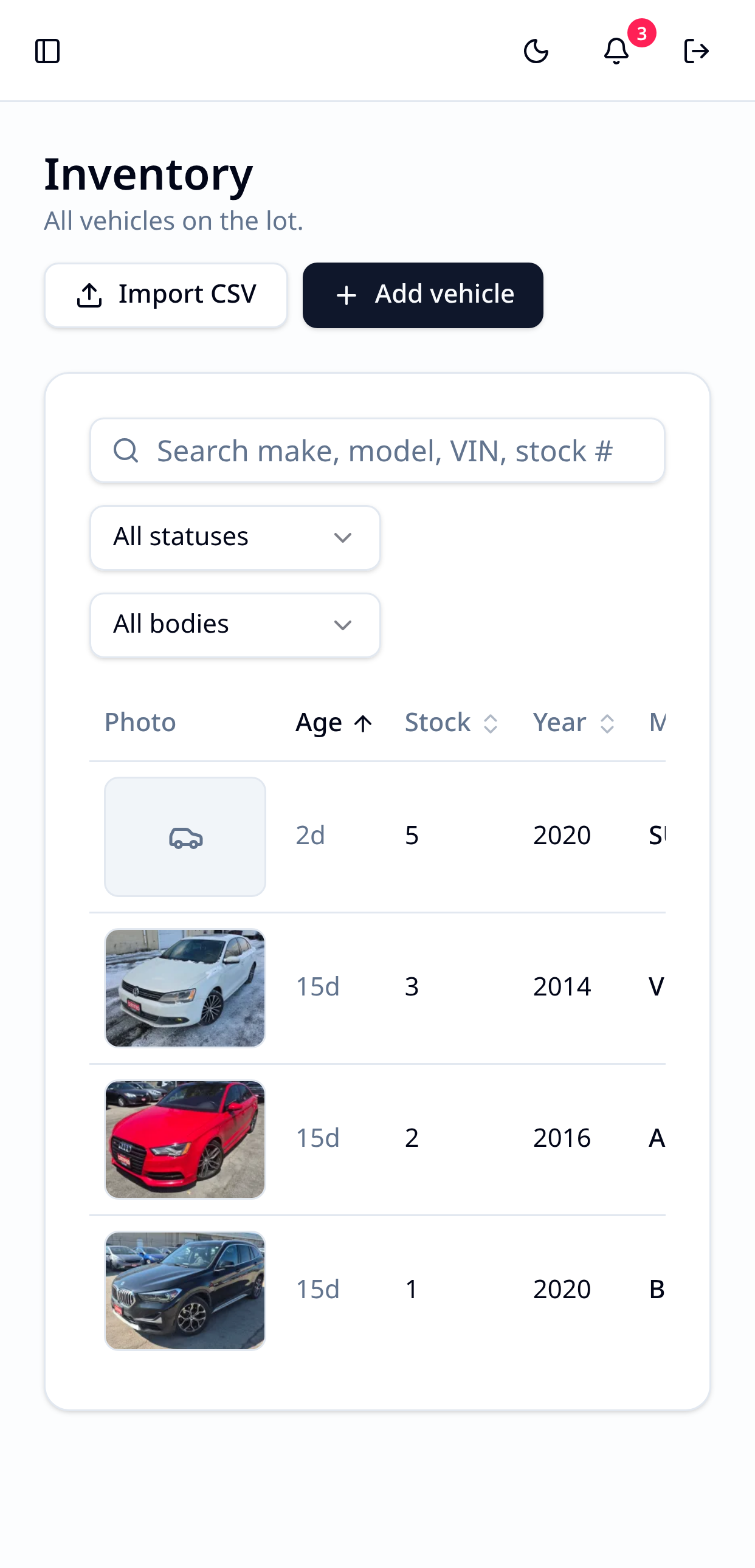
Dealers don't spend the whole day at a desk. DealerHub's web dashboard adapts to your phone, so you can check inventory, start a vehicle record and move between tools from the lot, an auction or the road. There's no separate app to download or update. Open DealerHub in your phone's browser and sign in.
Open the DealerHub web dashboard in your mobile browser with layouts designed for a smaller screen.
Move between dealership tools using a full-height menu that closes as soon as you pick a page.
Open the phone camera, read the 17-character VIN barcode, and continue through the usual VIN decode flow.
Start a vehicle record standing beside the unit. Manual VIN entry is always available if a barcode won't scan.
No download is needed. DealerHub is a mobile-friendly web dashboard that works in your phone's browser.
Type the VIN instead. Manual entry is always available.
Continue exploring